Quick Verdict: Top Picks
- Spec Score 6.8/10Jackery Explorer 1000 v2The lightest 1 kWh station we've compared (23.8 lb), for camping and short outages; sold out at Jackery's U.S. store on Nov 19, 2026.Check Price for Jackery Explorer 1000 v2 (opens Amazon in a new tab)
Picks are based on the manufacturer specs and the math in this guide. Prices change often, so check the current price on Amazon.
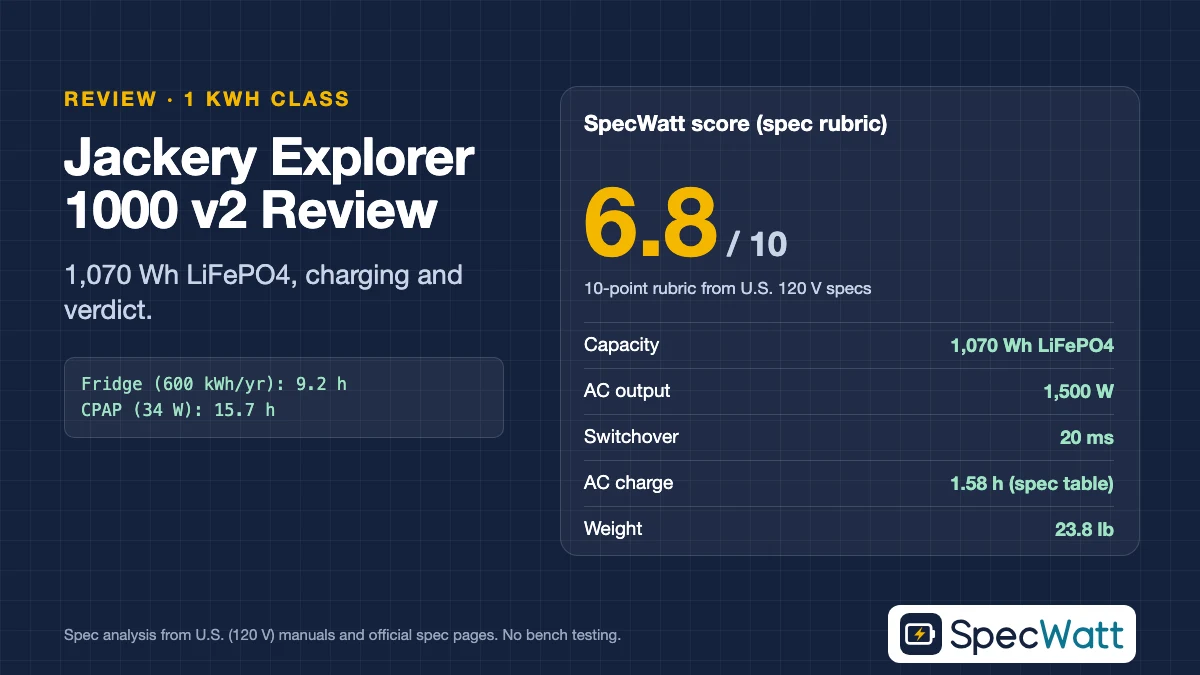
Our Jackery Explorer 1000 v2 review gives it 6.8 out of 10. It’s the lightest 1 kWh station with a published weight that we’ve compared, at 23.8 lb, with 1,070 Wh of LiFePO4, a 5-year warranty and a low price per watt-hour. It loses points for 1,500 W of AC output, 400 W of solar input and a 20 ms switchover, and on November 19, 2026, Jackery’s U.S. store showed it sold out.
This is a spec-sheet review, not a bench test. Every number comes from the Tech Specs table on Jackery’s U.S. product page, read on November 19, 2026. Every runtime uses the open formula from our runtime calculator, and the score follows the same 10-point rubric we apply to every station we review.
Our Score: 6.8 out of 10
The table breaks this Jackery Explorer 1000 v2 review score into its ten rubric lines. Each line rests on a published spec, so you can see where the 1000 v2 earns its points and where the faster, heavier stations in its class pull ahead.
| Rubric line (max points) | Score | Spec behind it |
|---|---|---|
| Capacity (1) | 0.5 | 1,070 Wh, the 1 kWh class |
| AC output (1) | 0.5 | 1,500 W continuous, 3,000 W surge peak |
| Wall charging (1) | 0.5 | 1.58 h on the AC adapter, per the Tech Specs table |
| Solar input (1) | 0.25 | 2 × 200 W, 400 W combined |
| Outage switchover (1) | 0.75 | UPS, 20 ms |
| Portability (1) | 1 | About 45 Wh per lb (23.8 lb) |
| Chemistry and cycles (1) | 0.75 | LiFePO4, 4,000 cycles to 70%+ |
| Warranty (1) | 1 | 3 + 2 years (5 years) |
| Value (1.5) | 1.5 | Official-store price per Wh (price and date in the text) |
| Expansion (0.5) | 0 | No extra-battery option listed |
| Total | 6.75 → 6.8 |
Portability, warranty and value carry the score. The 1000 v2 trails on output, charging and solar, which matter most for home backup with heavy loads or long solar-powered outages. For light camping and short outages, those gaps are smaller than the score suggests.
Jackery Explorer 1000 v2 Specs at 120 V
These are the specs from the Tech Specs table on Jackery’s U.S. page. The surge peak is in parentheses next to continuous AC output, and the charging time is the table’s figure for the AC adapter, which differs from a faster claim elsewhere on the same page, as we explain below.
Models at a glance
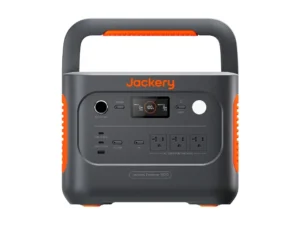
Jackery
Explorer 1000 v2
- Capacity1,070 Wh LiFePO4
- AC output (120 V)1,500 W (3,000 W surge peak)
- Outage switchoverUPS, 20 ms
Best for: The lightest 1 kWh station we've compared (23.8 lb), for camping and short outages; sold out at Jackery's U.S. store on Nov 19, 2026.
Check Price on Amazon for Jackery Explorer 1000 v2 (opens Amazon in a new tab)Specs from each model's U.S. manual or official datasheet. Full comparison in the table below. As an Amazon Associate we earn from qualifying purchases.
| Model | Capacity | AC output (120 V) | Outage switchover | AC charging | Solar input | Weight | Price |
|---|---|---|---|---|---|---|---|
| Jackery Explorer 1000 v2 | 1,070 Wh LiFePO4 | 1,500 W (3,000 W surge peak) | UPS, 20 ms | 1.58 h on the AC adapter | 2 × DC8020, 400 W combined | 23.8 lb | Check Price for Jackery Explorer 1000 v2 (opens Amazon in a new tab) |
Source: Jackery Explorer 1000 v2 U.S. Tech Specs table, read November 19, 2026. The UPS figure is from Jackery’s Explorer 1000 V2 basic information page (JE-1000D). The solar inputs accept 12–16 V at 8 A and 16–60 V at 10.5 A per port, up to 21 A and 400 W combined.
The 1000 v2 has three 120 V AC outlets, a 100 W USB-C port (with a 20 V/5 A profile), a 30 W USB-C port, an 18 W USB-A port and a 12 V/10 A car port. Its bypass mode passes up to 1,500 W through from the wall while it charges.
At 12.87 × 8.82 × 9.72 inches and 23.8 lb, it’s the lightest 1 kWh station with a published weight that we’ve compared, and smaller than the C1000 Gen 2 and AC180 by our volume math. That’s about 11.5 lb less than the BLUETTI AC180, a real difference if you’ll carry it to a campsite or move it between rooms often.
Runtime at 120 V
This runtime table is the practical core of our Jackery Explorer 1000 v2 review. We treat 85% of rated capacity as usable and run AC loads through an 85%-efficient inverter, and we use 18 W of idle draw because Jackery’s basic information page lists an 18 W standby figure.
| Load (example, on AC) | Runtime |
|---|---|
| Wi-Fi router and modem, 20 W | 21.9 h |
| CPAP with humidifier and heated tube, 34 W | 15.7 h (about 2 nights of 8 hours) |
| Refrigerator, 600 kWh/yr label (about 68.5 W average) | 9.2 h |
| TV and streaming box, 100 W | 6.7 h |
| Microwave at 1,500 W | Not recommended: that’s its full continuous rating |
Formula: hours = rated Wh × 0.85 ÷ (load W ÷ 0.85 + 18 W). The CPAP figure is ResMed’s published average for an AirSense 10 with humidifier and heated tube (doc. 1018673/1). For CPAP use, check your device manual and talk to your doctor or equipment supplier before relying on battery power.
The 18 W standby figure is the main reason small-load runtimes trail other 1 kWh stations: on a 20 W router, it runs about 4 hours less than a 1,024 Wh station that we assume idles at 10 W. On a refrigerator, its 1,500 W rating still covers the roughly 1,200 W Honda lists for an Energy Star model’s start, but with less headroom than 1,800 W stations.
Charging: The 50-Minute Claim vs the Spec Table
The charging story in this Jackery Explorer 1000 v2 review needs a careful reading. The marketing text on Jackery’s U.S. page promotes “Emergency Super Charge 0-100% in 50mins”, a mode switched on in the Jackery app, while the Tech Specs table on the same page lists 1.58 hours on the AC adapter.
We score the Tech Specs figure of 1.58 hours, since it’s the documented one, and treat 50 minutes as Jackery’s claim for a special mode. The same marketing text also mentions 1,024 Wh, while the Tech Specs table lists 30.4 Ah at 35.2 V, or 1,070 Wh; we use the table’s figure throughout and recommend checking the label on any unit you buy.
Solar input is the weakest line. Two DC8020 ports accept 12–16 V at 8 A or 16–60 V at 10.5 A each, up to 400 W combined, and Jackery lists 7.5 hours for a solar charge and 12 hours from a 12 V car outlet. That’s well behind 1 kWh stations with 1,000 W of solar input; see our Voc & MPPT compatibility checker before buying panels.
Switchover, Battery and Warranty
The 1000 v2 switches to battery in 20 ms, which should keep most appliances and lights running through an outage. For a CPAP, check your device manual and talk to your doctor or equipment supplier before relying on any UPS switchover. A desktop PC or NAS has less margin than it would on a 10 ms station, so check your device’s power-supply hold-up time before relying on it as a UPS.
In this Jackery Explorer 1000 v2 review we rely on Jackery’s own rating: it rates the LiFePO4 cells for 4,000 cycles to 70% or more of original capacity, and the warranty is 3 years plus 2, which the page describes as a 5-year warranty. Note that 70% is a lower end-of-life threshold than the 80% EcoFlow and Anker use, so the cycle numbers aren’t directly comparable.
Value, Price and Availability
For the value line of this Jackery Explorer 1000 v2 review, we used the official store price. Jackery’s U.S. store listed the 1000 v2 at $559 in black and $589 in Dune White on November 19, 2026, about $0.52 per rated watt-hour for the black unit, but both colors showed as sold out that day.
That availability matters more than the price. If you find one from a reputable seller with Jackery’s warranty intact, it’s a fair value for a light station; if not, the BLUETTI AC180 offered more capacity at a lower price per watt-hour ($0.48 vs $0.52 on Nov 19, 2026) and was in stock the same day.
Jackery Explorer 1000 v2 Review Verdict: Who Should Buy It and Who Should Skip It
This Jackery Explorer 1000 v2 review lands on portability. It’s a light, simple 1 kWh station with a long warranty, best suited to camping, car trips and short outages with modest loads rather than heavy home-backup duty.
Who should buy it: campers and travelers who carry their station often, buyers who want the lightest 1 kWh station with a published weight that we’ve compared, and anyone powering a CPAP (for CPAP use, check your device manual and talk to your doctor or equipment supplier first), phones, laptops and lights through an evening outage; see our CPAP battery backup guide.
Who should skip it: households that want to run a microwave, space heater or several large appliances, solar-first users who need more than 400 W of input, and anyone who wants the shortest switchover for a desktop PC.
Alternatives to Consider
If you want more output and faster solar for about 11.5 lb more weight, our BLUETTI AC180 vs Jackery Explorer 1000 v2 head-to-head and BLUETTI AC180 review cover the trade-offs. If weight and speed both matter, our Anker SOLIX C1000 Gen 2 review covers a 24.9 lb station with 2,000 W of output.
For more choices, see our 1000Wh comparison. Check current prices and availability in the model card above.
Frequently Asked Questions
For light camping and short outages, yes: 1,070 Wh of LiFePO4 in a 23.8 lb body with a 5-year warranty. It scores 6.8/10 on our spec rubric because of its 1,500 W output, 400 W solar input and 20 ms switchover, and it was sold out at Jackery’s U.S. store on Nov 19, 2026.
Jackery’s marketing text claims 0–100% in 50 minutes with Emergency Super Charge, enabled in the app. Its U.S. Tech Specs table lists 1.58 hours on the AC adapter, which is the figure we score.
Jackery’s U.S. Tech Specs table lists 30.4 Ah at 35.2 V, or 1,070 Wh of LiFePO4. Some marketing text on the same page says 1,024 Wh, so check the label on the unit you buy.
About 9.2 hours for a refrigerator with a 600 kWh/year EnergyGuide label, under our assumptions of 85% usable capacity, an 85%-efficient inverter and Jackery’s listed 18 W standby draw.
Yes. At ResMed’s 34 W average for an AirSense 10 with humidifier and heated tube, it runs about 15.7 hours on AC, or roughly two 8-hour nights. Check your device manual and talk to your doctor or equipment supplier first.