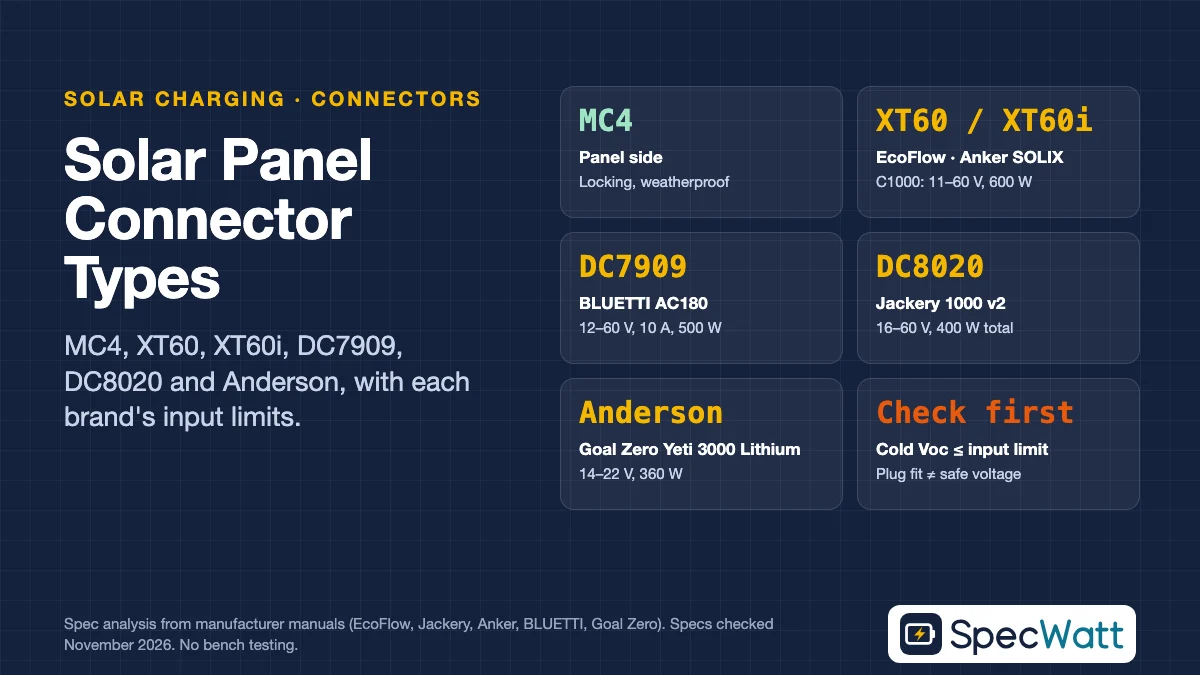
There are six solar panel connector types you’ll meet when you charge a portable power station: MC4 on the panel side, and XT60, XT60i, DC7909, DC8020 or Anderson Powerpole on the station side. The plug decides which cable or adapter you need. It does not decide whether a panel is safe for your station; that depends on the voltage, current and wattage limits printed in the station’s manual.
This guide covers both halves of the question, with each brand’s numbers taken from its own documentation. If you already know your plug and just want to check a panel against your station, jump to the Solar Panel Voc & MPPT Compatibility Checker, which runs the voltage and current math for you, and the Solar Charging Time & Array Sizing Calculator for the recharge time. For the bigger picture, our guide to solar panels for portable power stations covers sizing and recharge times.
Quick Answer: Which Connector Does Your Power Station Use?
Most problems with solar panel connector types come from mixing up the plug with the input limits, so the table below shows both for six common models. Every row comes from the manual named in the last column. If your model isn’t listed, look for the “solar input” or “DC input” line in its specifications and compare the same four numbers: connector, voltage window, maximum current and maximum watts.
| Power station | Solar input connector | Voltage window | Max current | Max solar watts | Source (manual) |
|---|---|---|---|---|---|
| EcoFlow DELTA 3 Plus | XT60i (2 ports) | Up to 60 V | Not listed in source | 500 W per port | EcoFlow 400W Lightweight Solar Panel manual (EF-FOLD-400-LW) |
| EcoFlow DELTA Pro | XT60-type | Up to 150 V | Not listed in source | 1,600 W | EcoFlow 400W Lightweight Solar Panel manual |
| Jackery Explorer 1000 v2 | DC8020 (2 ports) | 12–60 V (8 A at 12–16 V; 10.5 A at 16–60 V) | 10.5 A per port, 21 A combined | 400 W combined | Explorer 1000 v2 user manual (JE-1000D), EU edition |
| Anker SOLIX C1000 | XT-60 | 11–60 V | 10 A (11–32 V), 12.5 A (32–60 V) | 600 W | Anker SOLIX C1000 manual (A1761), JP edition |
| BLUETTI AC180 | DC7909 | 12–60 V | 10 A | 500 W | AC180 user manual |
| Goal Zero Yeti 3000 Lithium | Anderson Powerpole + 2 × 8 mm | 14–22 V | 30 A (Anderson), 10 A (8 mm) | 360 W combined (Anderson up to 360 W, 8 mm up to 120 W each) | Yeti 3000 Lithium user manual |
Specs checked November 2026. Newer versions of the same models can change ports and limits, so confirm against the manual for your exact model number.
The table makes one point clear: two stations with the same plug can have very different limits. EcoFlow’s panel manual lists 60 V for the DELTA 3 Plus but 150 V for the DELTA Pro. The older Goal Zero Yeti 3000 Lithium caps every input at 22 V and all inputs combined at 360 W, which rules out most 400 W panels before you even look at the plug.
Solar Connectors on U.S. Models We’ve Checked
The same solar panel connector types show up across the U.S. lineups. This table lists the solar input plug on eight 120 V models and whether the manual or datasheet says a solar cable comes in the box.
Models at a glance
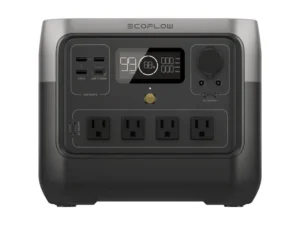
EcoFlow
RIVER 2 Pro
- Capacity768 Wh
- Solar input connectorXT60 (MC4-to-XT60 cable)
- Solar cable in the box?Not in the box list
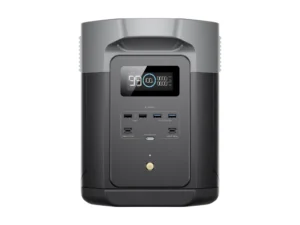
EcoFlow
DELTA 2 Max
- Capacity2,048 Wh
- Solar input connectorXT60 × 2 (MC4-to-XT60 cable)
- Solar cable in the box?Sold separately, per the manual
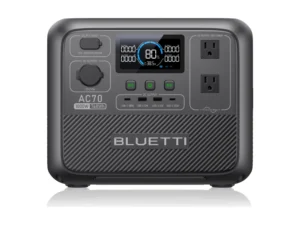
BLUETTI
AC70
- Capacity768 Wh
- Solar input connectorXT60PM-M
- Solar cable in the box?Yes, solar charging cable
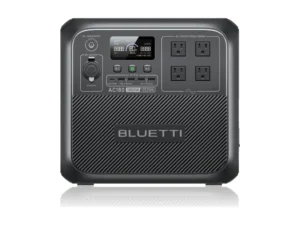
BLUETTI
AC180
- Capacity1,152 Wh
- Solar input connectorDC7909
- Solar cable in the box?Yes, solar charging cable
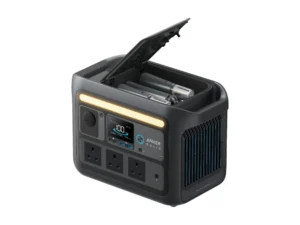
Anker SOLIX
C800X
- Capacity768 Wh
- Solar input connectorXT-60
- Solar cable in the box?Yes, 1-to-2 solar charging cable
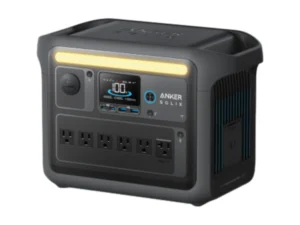
Anker SOLIX
C1000
- Capacity1,056 Wh
- Solar input connectorXT-60
- Solar cable in the box?Yes, 1-to-2 solar charging cable
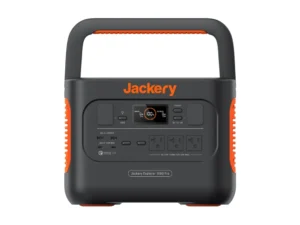
Jackery
Explorer 1000 Pro
- Capacity1,002 Wh
- Solar input connectorDC8020 × 2
- Solar cable in the box?Two DC7909-to-DC8020 adapters
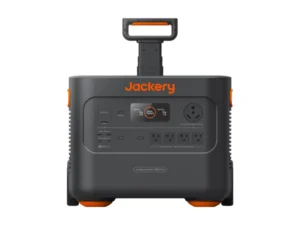
Jackery
Explorer 2000 Plus
- Capacity2,042.8 Wh
- Solar input connectorDC8020 × 2
- Solar cable in the box?Two DC7909-to-DC8020 adapters
Specs from each model's U.S. manual or official datasheet. Full comparison in the table below. As an Amazon Associate we earn from qualifying purchases.
| Model | Capacity | Solar input connector | Solar cable in the box? | Price |
|---|---|---|---|---|
| EcoFlow RIVER 2 Pro | 768 Wh | XT60 (MC4-to-XT60 cable) | Not in the box list | Check Price for EcoFlow RIVER 2 Pro (opens Amazon in a new tab) |
| EcoFlow DELTA 2 Max | 2,048 Wh | XT60 × 2 (MC4-to-XT60 cable) | Sold separately, per the manual | Check Price for EcoFlow DELTA 2 Max (opens Amazon in a new tab) |
| BLUETTI AC70 | 768 Wh | XT60PM-M | Yes, solar charging cable | Check Price for BLUETTI AC70 (opens Amazon in a new tab) |
| BLUETTI AC180 | 1,152 Wh | DC7909 | Yes, solar charging cable | Check Price for BLUETTI AC180 (opens Amazon in a new tab) |
| Anker SOLIX C800X | 768 Wh | XT-60 | Yes, 1-to-2 solar charging cable | Check Price for Anker SOLIX C800X (opens Amazon in a new tab) |
| Anker SOLIX C1000 | 1,056 Wh | XT-60 | Yes, 1-to-2 solar charging cable | Check Price for Anker SOLIX C1000 (opens Amazon in a new tab) |
| Jackery Explorer 1000 Pro | 1,002 Wh | DC8020 × 2 | Two DC7909-to-DC8020 adapters | Check Price for Jackery Explorer 1000 Pro (opens Amazon in a new tab) |
| Jackery Explorer 2000 Plus | 2,042.8 Wh | DC8020 × 2 | Two DC7909-to-DC8020 adapters | Check Price for Jackery Explorer 2000 Plus (opens Amazon in a new tab) |
Specs from each model’s U.S. (120 V) user manual or official Anker datasheet, checked November 2026. Prices change often, so confirm the current price and exact model on the retailer’s page.
When the cable is sold separately, buy the brand’s own MC4-to-XT60 lead or one rated above your panel’s short-circuit current. The connector only decides the cable, though; the voltage window and current limit still decide whether a given panel is safe for each input, as the sections below explain.
MC4: The Panel-Side Standard
MC4 is the most common of the solar panel connector types on the panel side: it’s the locking, weatherproof connector on the output leads of nearly every rigid panel and most folding panels sold today. One lead ends in a male MC4 and the other in a female MC4, so polarity is built into the shape. They snap together with an audible click and need a small unlocking tool to separate.
Because MC4 is so common, it’s also the starting point for almost every adapter. BLUETTI’s AC180 manual, for example, says third-party panels are fine as long as their open-circuit voltage stays within 12–60 V and they have MC4 connectors, which you then join to the station through BLUETTI’s solar charging cable. The same manual asks you not to mix different types of panels on one input.
XT60 and XT60i: EcoFlow and Anker SOLIX
Among station-side solar panel connector types, XT60 is the compact, high-current DC plug with a yellow housing, originally popular in radio-controlled hobby gear. Anker’s SOLIX C1000 manual says the solar input accepts any 11–60 V solar charger with an XT-60 female connector, with up to 10 A from 11–32 V panels and up to 12.5 A from 32–60 V panels, capped at 600 W. Anker adds that its SOLIX panels come with a solar charging cable and an extension cable.
XT60i is a variant of the XT60 made by AMASS, the company behind the XT60, with an extra small signal pin; that’s general industry knowledge rather than something these manuals state. EcoFlow uses it: the 400W lightweight panel ships with an XT60i output cable, and its manual says that cable, or the XT60i in-series and in-parallel adapters, connects to a station’s “solar input (XT60/XT60i)”. On the DELTA 3 Plus, EcoFlow lists two separate XT60i ports, each rated 500 W at up to 60 V.
DC7909 and DC8020: The Barrel Plugs
DC7909 and DC8020 are the round solar panel connector types, the kind you’d recognize from laptop chargers, scaled up for solar current. Their names follow the common industry convention for barrel size: 7.9 mm outer diameter with a 0.9 mm center pin for DC7909, and 8.0 mm with a 2.0 mm pin for DC8020. Neither manual spells out the dimensions, so treat those figures as the standard naming, not a brand spec.
BLUETTI uses DC7909 on the AC180, rated 12–60 V, 10 A and 500 W in its manual. Jackery uses DC8020 on the Explorer 1000 v2, where each of the two ports takes one 100 W or 200 W panel directly, and on the Explorer 1000 Pro. If your panel’s barrel doesn’t match your station’s port, you need a DC7909-to-DC8020 adapter, not a Jackery solar panel connector, which joins two panels on one port.
Why DC7909 and DC8020 Aren’t Interchangeable
The outer barrels are almost the same size, but the center pins differ, so the plugs don’t mate properly. Forcing one into the other risks a loose, high-resistance contact that heats up under solar current, which is exactly what you don’t want on a connector sitting in the sun.
Jackery’s own documentation treats them as separate plugs. The Explorer 1000 Pro manual lists two DC7909-to-DC8020 adapters in the box and notes that the brand’s solar panels on sale were upgraded to include a DC7909-to-DC8020 adapter, so older 7909 panels can still charge newer 8020 stations.
Anderson Powerpole: Goal Zero and DIY Setups
Among solar panel connector types, Anderson Powerpole connectors are the genderless, color-coded red and black blocks used in ham radio, RV and DIY battery projects. Goal Zero’s Yeti 3000 Lithium manual lists one Anderson input rated 14–22 V at up to 30 A (360 W), plus two 8 mm inputs at 14–22 V and up to 10 A (120 W each), with a combined input maximum of 360 W, and it warns that exceeding 22 V can damage the unit.
That low voltage window is the real lesson. Anderson connectors themselves handle plenty of current, but this station’s charge controller only accepts 12 V-class panels, so even one modern 400 W panel with a Voc near 40 V would be too much. Always read the input window before buying an MC4-to-Anderson adapter for an older unit.
Choosing an Adapter: MC4 to XT60, DC8020 or Anderson
Adapters are where solar panel connector types collide, and where most charging problems start, because a cable that fits isn’t necessarily a cable that’s rated for the job. Before you buy any MC4-to-XT60, MC4-to-DC8020 or MC4-to-Anderson lead, check these points against both the panel’s label and the station’s manual:
- Polarity: the adapter’s positive and negative markings must match the station’s input diagram; a reversed lead may trip protection or damage the port.
- Current rating: the cable and plugs should be rated above the panel’s short-circuit current (Isc), not just its operating current.
- Wire gauge and length: thinner, longer cables waste more power as heat (see the voltage-drop math below).
- Brand-specific signal pins: an XT60i lead from EcoFlow is designed for XT60/XT60i inputs; check the station’s manual before using it anywhere else.
- Weather sealing: MC4 joints are weatherproof, but most station-side plugs are not, so keep the station end dry and shaded.
A brand’s own cable is the safest choice when it exists, because the maker has already matched it to the input. Jackery sells a solar panel connector for joining two 100 W panels on one DC8020 port of the Explorer 1000 v2, and EcoFlow sells XT60i in-series and in-parallel adapters, so you rarely need to improvise with generic parts from unknown sellers.
The Plug Fits, but Is the Voltage Safe?
Matching solar panel connector types says nothing about voltage, and voltage is what damages solar inputs. A panel’s open-circuit voltage (Voc) rises as it gets colder. EcoFlow’s 400 W lightweight panel (model EF-FOLD-400-LW) has a Voc of 39.3 V and a Voc temperature coefficient of −0.25% per °C, according to its manual. On a 14°F (−10°C) morning that’s 39.3 × [1 + 0.0025 × 35] ≈ 42.7 V.
One of those panels sits comfortably below a 60 V input. Two in series reach about 85.5 V, which is over the 60 V limit EcoFlow lists for the DELTA 3 Plus but within the 100 V DELTA Max and 150 V DELTA Pro inputs. That lines up with EcoFlow’s own table, which recommends two panels in series only for those higher-voltage models. Our series vs. parallel guide and the Solar Panel Voc & MPPT Compatibility Checker run this check for any panel and station.
Solar charging is entirely DC, so none of this involves your home’s wiring. The U.S. 120 V / 60 Hz standard only applies to the power station’s AC outlets and its wall charger. UK/AU note: solar connectors and DC input limits are usually the same across regions, but check your regional manual; stations sold in the UK and Australia have 230 V / 50 Hz AC outlets and chargers.
Extension Cables and Voltage Drop
Panels often need to sit in the sun while the station stays in the shade, so most setups add an MC4 extension cable between the panel’s MC4 leads and the station’s adapter. The power you lose in that cable is easy to estimate: voltage drop = current × resistance of the full loop (out and back). The NBS Handbook 100 copper wire tables put 12 AWG at about 1.59 ohms per 1,000 feet and 14 AWG at about 2.53 ohms per 1,000 feet at 68°F.
Take a 25-foot extension (50 feet of loop) carrying 10 A from a panel operating at 34.5 V. With 12 AWG the drop is about 0.8 V, or roughly 2.3% of the power; with 14 AWG it’s about 1.3 V, or roughly 3.7%. For runs longer than 25 feet, choose 10 AWG or move the station closer, and keep the full Voc of the array within the station’s limit regardless of cable length.
Frequently Asked Questions
MC4 on the panel side, and XT60, XT60i, DC7909, DC8020 or Anderson Powerpole on the station side. Which one you need depends on the brand and model, so check the solar input line in your manual.
Only with stations that have an XT60 or XT60i solar input, and only if the panel’s cold Voc, current and watts stay within that input’s limits. The cable must also be rated above the panel’s short-circuit current.
No. The barrels are nearly the same size, but the center pins differ, so the plugs don’t mate properly. Use the brand’s adapter, such as Jackery’s DC7909-to-DC8020 lead, instead of forcing a fit.
On the Explorer 1000 v2, each DC8020 port takes one 100 W or 200 W panel directly. Jackery’s manual says joining two 100 W panels on one port requires its solar panel connector, sold separately.
The adapter itself rarely does, but it can let you connect a panel whose voltage is too high or whose polarity is reversed. Check the station’s voltage window and the adapter’s polarity markings before plugging in.