Quick Verdict: Top Picks
- Best for CPAPBLUETTI AC180Multi-night CPAP backup. Most nights per charge in the 1,000 Wh class among models with a published UPS switchover: about 2.4 nights on AC at 34 W, 20 ms or less.Check Price for BLUETTI AC180 (opens Amazon in a new tab)
- Best for Long OutagesEcoFlow DELTA 2 MaxMulti-day outages and whole-home plans. The most nights of the 8 models here: about 4.4 nights on AC at 34 W, EPS 30 ms or less.Check Price for EcoFlow DELTA 2 Max (opens Amazon in a new tab)
Picks are based on the manufacturer specs and the math in this guide. Prices change often, so check the current price on Amazon.
A CPAP battery backup only has to do one job: get you through the night when the power goes out. The hard part is sizing it. Spec sheets list a big watt-hour number, your CPAP’s power brick lists another, and neither one tells you how long the machine will actually run. This guide turns those numbers into a nightly energy budget, shows why plugging into a DC port can add a third to more than double your runtime depending on the humidifier, and gives you a free runtime calculator to check your own setup.
The Short Answer: How Many Watt-Hours Does a CPAP Need per Night?
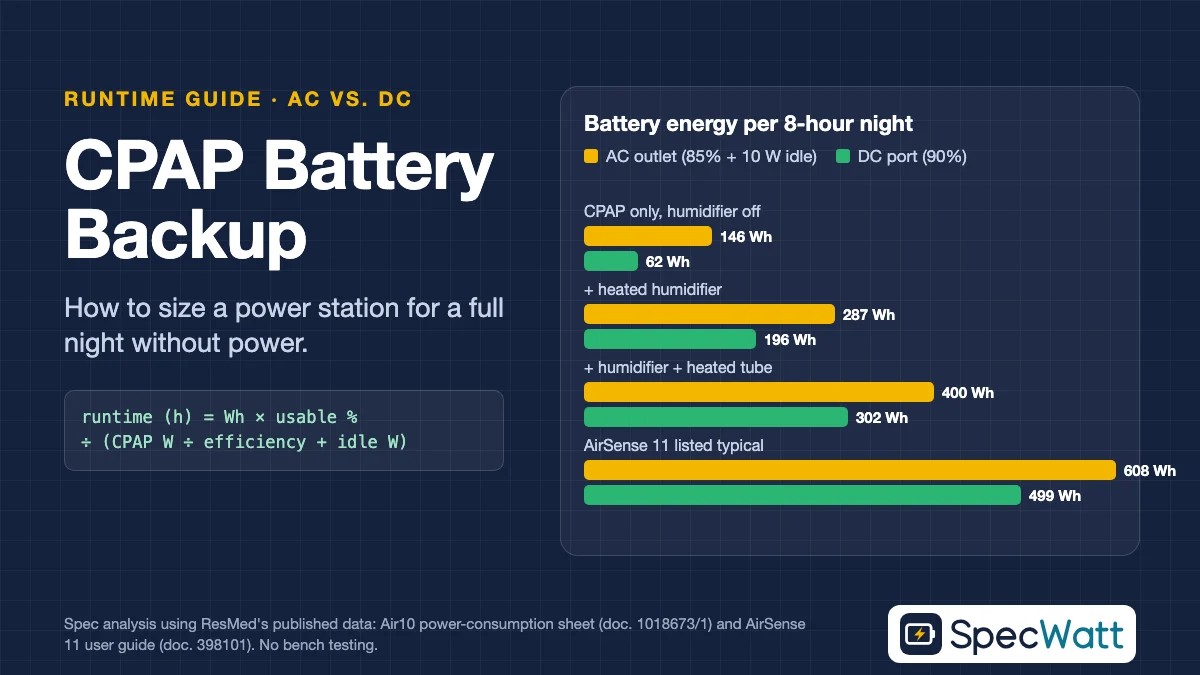
A CPAP battery backup needs roughly 60 to 610 Wh per 8-hour night, and the heated humidifier and heated tube decide where you land in that range. ResMed’s Air10 power-consumption sheet (doc. 1018673/1, March 2015) lists the average energy an AirSense 10 AutoSet used per hour at fixed settings (AutoSet 8–15 cm H2O, EPR 2, humidity level 6, tube temperature 82°F (28°C)): about 7 Wh per hour for the device alone, 22 Wh with the humidifier, and 34 Wh with the humidifier plus the ClimateLineAir heated tube. The table below turns those figures into an 8-hour night, including conversion losses, and adds the rated capacity you should shop for once you include a 20% safety margin.
| CPAP setting (ResMed Air10 data) | Average draw | Battery used per 8-hour night, AC | Battery used per 8-hour night, DC | Rated capacity to buy, AC | Rated capacity to buy, DC |
|---|---|---|---|---|---|
| Device only, humidifier off | 7 W | 146 Wh | 62 Wh | 206 Wh | 88 Wh |
| Device + humidifier | 22 W | 287 Wh | 196 Wh | 405 Wh | 276 Wh |
| Device + humidifier + heated tube | 34 W | 400 Wh | 302 Wh | 565 Wh | 427 Wh |
| AirSense 11 “typical” from its manual (worst-case planning) | 56.1 W | 608 Wh | 499 Wh | 858 Wh | 704 Wh |
Assumptions: U.S. outlets at 120 V / 60 Hz; AC path at 85% inverter efficiency plus 10 W inverter idle draw; DC path at 90% conversion efficiency; 85% of rated capacity usable (the same baseline as our runtime calculator); 20% margin. Specs checked November 2026. Plug your own numbers into the runtime calculator linked below.
The last row deserves a note. The AirSense 11 user guide (Americas edition, doc. 398101; the UK/EU edition, doc. 398272, lists the same figures) lists a “typical power consumption” of 56.1 W and a peak of 73.2 W, but it doesn’t state the settings behind those numbers. We treat them as a conservative ceiling for planning, not as what your machine will draw every night.
Step 1: Find Your CPAP’s Real Power Draw
The number printed on the power supply is not your nightly consumption. The AirSense 11 ships with a 65 W supply that outputs 24 V at 2.71 A, according to its user guide, but the machine only pulls that much when the humidifier is heating hard. Sizing a CPAP battery backup from the brick’s rating usually means buying two or three times more battery than you need.
The better sources, in order: your manufacturer’s power-consumption data at settings close to yours, the “typical” figure in your user guide’s technical specifications, and your own reading from a plug-in watt meter over a full night (divide the watt-hours shown in the morning by the hours you slept). Your pressure setting, humidity level, tube temperature, mask leak and bedroom temperature all move the number. A cold bedroom makes the humidifier and heated tube work harder, which is exactly the situation you face during a winter outage.
If you use a Philips DreamStation 2 or another brand, look for the DC power section and the technical specifications in its user manual. Manufacturers don’t all publish nightly consumption in the same format, which is why we built the calculator to accept any wattage you can find or read from a meter.
Step 2: AC vs. DC, and Where the Watt-Hours Go
The output you choose changes your CPAP battery backup math more than most people expect, because every power station stores energy as DC in its battery. Your CPAP also runs on DC internally: the AirSense 11’s power supply converts 120 V AC from the wall into 24 V DC. When you plug that power supply into a power station’s AC outlet, the energy gets converted twice, from DC to AC in the power station’s inverter and back from AC to DC in the CPAP’s brick. Each conversion turns some of your battery into heat.
The AC Path: Simple, but Lossy
Plugging the CPAP’s normal power supply into an AC outlet is the easiest setup and it works with any machine. The cost is efficiency. We use 85% as our default inverter efficiency, which means a 22 W load pulls about 26 W from the battery before you count anything else. For U.S. readers the outlet math is based on 120 V / 60 Hz. Even at the AirSense 11’s listed 111.5 VA, a CPAP draws well under 1 A at 120 V, so current is never the constraint here.
The DC Path: Fewer Conversions, More Hours
The more efficient route skips the inverter entirely. ResMed lists an Air11 DC/DC converter as an accessory for the AirSense 11, and other CPAP makers sell their own DC cables or converters. The converter takes power from a 12 V source, such as a power station’s car-style 12 V port, and feeds the CPAP the DC voltage it expects. We assume 90% efficiency for this path, and there’s no inverter running in the background.
Why Inverter Idle Draw Matters So Much
An inverter uses power just by being switched on, even with nothing plugged in. Most manufacturers don’t publish this idle draw, so we assume 10 W, a middle-of-the-range figure for this class of product. That assumption matters because a CPAP is a small load. With the humidifier off, a 7 W CPAP on AC pulls about 18 W from the battery, and more than half of that is inverter overhead. On DC, the same night costs less than half the energy.
Step 3: Run the Numbers for Your Own Setup
Here’s the formula behind the table above, so you can check any portable power station for CPAP use before you buy it: runtime in hours = rated Wh × usable share ÷ (CPAP watts ÷ efficiency + idle watts). Every input comes from either the power station’s spec sheet or your CPAP’s documentation, and the only assumptions are the efficiency and idle figures, which you can change.
Take a 1,024 Wh power station and a CPAP running with the humidifier and heated tube at 34 W. On AC, the battery delivers about 870 usable Wh (1,024 × 85%), and the battery-side draw is 34 ÷ 0.85 + 10 = 50 W. That works out to roughly 17 hours, or a little over two 8-hour nights. Switch the same CPAP to DC and the draw drops to about 38 W, which stretches the same battery to roughly 23 hours, or almost three nights.
Now turn the humidifier off. At 7 W the AC draw is about 18 W, so that 1,024 Wh unit lasts around 48 hours, or six nights. On DC it lasts roughly 112 hours, or 14 nights. No other choice in a CPAP battery backup plan comes close to the humidifier setting. If your doctor or equipment supplier says it’s fine to skip humidification for a night or two, that one setting does more than any upgrade to a bigger battery.
To check your own setup, open the Power Station Runtime Calculator, enter your station’s rated capacity and keep the 85% setting, which matches the usable share used in this guide. For the load, enter the battery-side draw from the formula rather than the wattage on your CPAP’s label: about 50 W for a 34 W CPAP on AC, or about 38 W on DC. The calculator then gives the same runtime as the examples above, in hours and minutes.
Which Power Station Size Fits Your CPAP Battery Backup?
Instead of chasing a single “best” model, start by choosing the capacity class that matches your nights and your humidifier habits. A CPAP battery backup that’s too small fails on the coldest night, and one that’s far too big costs more and weighs more than it needs to. These classes come straight from the table and the formula above.
| Capacity class | What it covers on AC (humidifier + heated tube, 34 W) | What it covers on DC, humidifier off (7 W) | Who it fits |
|---|---|---|---|
| About 250–300 Wh | Less than one full night | 3–4 nights | Short outages, camping without humidification |
| About 500 Wh | One night | About 7 nights | One-night outages with full humidification |
| About 1,000 Wh | About 2 nights | About 14 nights | Multi-day outages, or CPAP plus a router and phone |
| 2,000 Wh and up | 4 nights or more | About 27 nights | Whole-home outage plans that also include a refrigerator |
Estimates assume 85% usable capacity, 85% AC efficiency with 10 W idle, and 90% DC efficiency, with no margin applied.
Models We’d Shortlist for a CPAP Battery Backup (U.S. 120 V Versions)
These are U.S. models whose 120 V user manuals or official datasheets we read line by line, grouped by the same capacity classes. The nights column uses a CPAP with humidifier and heated tube on AC (34 W) and the same assumptions as the tables above: 85% inverter efficiency, 10 W idle draw and 85% usable capacity.
Models at a glance
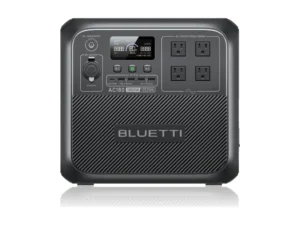
BLUETTI
AC180
- Capacity1,152 Wh LiFePO4
- AC output (continuous / surge)1,800 W / 2,700 W
- 12 V car port12 V, 10 A
Best for: Multi-night CPAP backup. Most nights per charge in the 1,000 Wh class among models with a published UPS switchover: about 2.4 nights on AC at 34 W, 20 ms or less.
Check Price on Amazon for BLUETTI AC180 (opens Amazon in a new tab)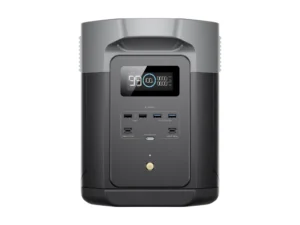
EcoFlow
DELTA 2 Max
- Capacity2,048 Wh LFP
- AC output (continuous / surge)2,400 W / 4,800 W
- 12 V car port12.6 V, 10 A
Best for: Multi-day outages and whole-home plans. The most nights of the 8 models here: about 4.4 nights on AC at 34 W, EPS 30 ms or less.
Check Price on Amazon for EcoFlow DELTA 2 Max (opens Amazon in a new tab)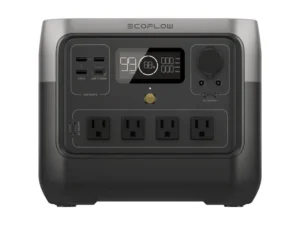
EcoFlow
RIVER 2 Pro
- Capacity768 Wh LFP
- AC output (continuous / surge)800 W / 1,600 W
- 12 V car port12.6 V, 10 A
Best for: One- to two-night outages with full humidification: about 1.6 nights on AC at 34 W.
Check Price on Amazon for EcoFlow RIVER 2 Pro (opens Amazon in a new tab)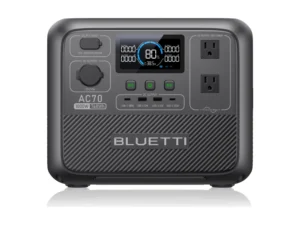
BLUETTI
AC70
- Capacity768 Wh LiFePO4
- AC output (continuous / surge)1,000 W / not listed
- 12 V car port12 V, 10 A
Best for: One- to two-night outages with automatic switchover: about 1.6 nights on AC at 34 W, 20 ms or less.
Check Price on Amazon for BLUETTI AC70 (opens Amazon in a new tab)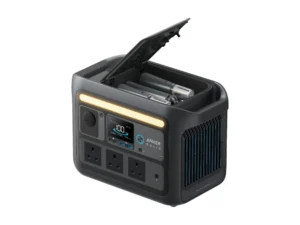
Anker SOLIX
C800X
- Capacity768 Wh LiFePO4
- AC output (continuous / surge)1,200 W / 1,920 W
- 12 V car port10.8–14 V, 10 A
Best for: One- to two-night outages with automatic switchover: about 1.6 nights on AC at 34 W, under 20 ms.
Check Price on Amazon for Anker SOLIX C800X (opens Amazon in a new tab)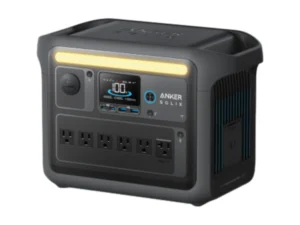
Anker SOLIX
C1000
- Capacity1,056 Wh LiFePO4
- AC output (continuous / surge)1,800 W / 2,400 W
- 12 V car port10.8–14 V, 10 A
Best for: Multi-day outages, or a CPAP plus a router and phone: about 2.2 nights on AC at 34 W, UPS under 20 ms.
Check Price on Amazon for Anker SOLIX C1000 (opens Amazon in a new tab)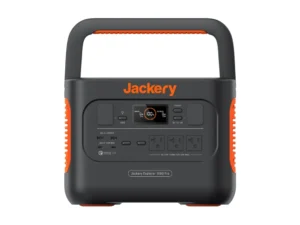
Jackery
Explorer 1000 Pro
- Capacity1,002 Wh lithium-ion
- AC output (continuous / surge)1,000 W / 2,000 W
- 12 V car port12 V, 10 A
Best for: Multi-day outages when you do not need automatic switchover: about 2.1 nights on AC at 34 W.
Check Price on Amazon for Jackery Explorer 1000 Pro (opens Amazon in a new tab)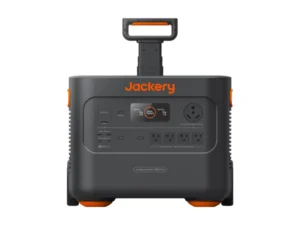
Jackery
Explorer 2000 Plus
- Capacity2,042.8 Wh lithium-ion
- AC output (continuous / surge)3,000 W / 6,000 W
- 12 V car port12 V, 10 A
Best for: Whole-home outage plans that also include a refrigerator: about 4.3 nights on AC at 34 W, EPS 20 ms.
Check Price on Amazon for Jackery Explorer 2000 Plus (opens Amazon in a new tab)Specs from each model's U.S. manual or official datasheet. Full comparison in the table below. As an Amazon Associate we earn from qualifying purchases.
| Class | Model | Capacity | AC output (continuous / surge) | 12 V car port | UPS/EPS switchover | Nights on AC (34 W) | Price |
|---|---|---|---|---|---|---|---|
| ~768 Wh | EcoFlow RIVER 2 Pro | 768 Wh LFP | 800 W / 1,600 W | 12.6 V, 10 A | Not listed | About 1.6 | Check Price for EcoFlow RIVER 2 Pro (opens Amazon in a new tab) |
| ~768 Wh | BLUETTI AC70 | 768 Wh LiFePO4 | 1,000 W / not listed | 12 V, 10 A | 20 ms or less | About 1.6 | Check Price for BLUETTI AC70 (opens Amazon in a new tab) |
| ~768 Wh | Anker SOLIX C800X | 768 Wh LiFePO4 | 1,200 W / 1,920 W | 10.8–14 V, 10 A | Under 20 ms | About 1.6 | Check Price for Anker SOLIX C800X (opens Amazon in a new tab) |
| ~1,000 Wh | Anker SOLIX C1000 | 1,056 Wh LiFePO4 | 1,800 W / 2,400 W | 10.8–14 V, 10 A | Under 20 ms | About 2.2 | Check Price for Anker SOLIX C1000 (opens Amazon in a new tab) |
| ~1,000 Wh | BLUETTI AC180 | 1,152 Wh LiFePO4 | 1,800 W / 2,700 W | 12 V, 10 A | 20 ms or less | About 2.4 | Check Price for BLUETTI AC180 (opens Amazon in a new tab) |
| ~1,000 Wh | Jackery Explorer 1000 Pro | 1,002 Wh lithium-ion | 1,000 W / 2,000 W | 12 V, 10 A | Not listed | About 2.1 | Check Price for Jackery Explorer 1000 Pro (opens Amazon in a new tab) |
| 2,000 Wh+ | EcoFlow DELTA 2 Max | 2,048 Wh LFP | 2,400 W / 4,800 W | 12.6 V, 10 A | EPS 30 ms or less | About 4.4 | Check Price for EcoFlow DELTA 2 Max (opens Amazon in a new tab) |
| 2,000 Wh+ | Jackery Explorer 2000 Plus | 2,042.8 Wh lithium-ion | 3,000 W / 6,000 W | 12 V, 10 A | EPS 20 ms | About 4.3 | Check Price for Jackery Explorer 2000 Plus (opens Amazon in a new tab) |
Specs from each model’s U.S. (120 V) user manual or official Anker datasheet, checked November 2026. Prices change often, so confirm the current price and exact model on the retailer’s page.
Every model here has far more AC output than a CPAP needs, so capacity and the DC port decide the choice. With the humidifier off and the CPAP on a DC converter (about 7.8 W from the battery), even the 768 Wh class lasts roughly 10 nights. If you keep the CPAP plugged into the station while it charges from the wall, favor a model that publishes its switchover time, and check your CPAP manual’s guidance on brief power interruptions.
Several of these manuals also say the unit isn’t intended for life-critical medical equipment: EcoFlow’s RIVER 2 Pro and DELTA 2 Max manuals advise against powering medical emergency equipment such as hospital-grade CPAP ventilators, and BLUETTI’s AC180 manual excludes medical applications that depend on a reliable power supply. Check your model’s manual and follow your doctor’s guidance.
Spec Checklist Before You Buy
Once you’ve picked a class, compare each CPAP power station inside it on the specs that change real-world results for a CPAP battery backup. Look for these in the manual, not only on the product page:
- Battery chemistry and cycle rating. LiFePO4 units are usually rated for thousands of cycles to 70–80% capacity, which matters if the unit also powers your CPAP while camping.
- Pure sine wave AC output, which is standard on current power stations and what CPAP power supplies expect.
- A regulated 12 V DC output with enough current for your CPAP’s DC converter (check the converter’s input rating against the port’s amp limit).
- UPS or EPS switchover time in milliseconds, if you want the power station to take over automatically when the grid drops.
- Recharge options: AC charging time, solar input voltage window and car charging, for outages that last longer than the battery.
- Weight and operating temperature range, especially if the unit has to live on a nightstand or travel with you.
Pass-Through Charging and Automatic Switchover
Many owners keep the CPAP plugged into the power station every night, with the power station plugged into the wall. When the grid fails, the power station keeps supplying the CPAP. How smoothly that happens depends on the switchover time the manufacturer publishes. Some products call this a UPS and list a time in milliseconds; others call it an EPS and may switch more slowly. A CPAP that briefly loses power may stop until you restart it, so check both the power station’s published switchover time and your CPAP manual’s guidance on power interruptions.
Cold Nights, Altitude and Battery Aging
Winter is the hardest test for a CPAP battery backup, because batteries deliver less energy when they’re cold, and lithium batteries generally shouldn’t be charged below freezing. Many power stations limit or block charging at low temperatures, so read the operating and charging temperature ranges in the manual. The CPAP has its own limits too: the AirSense 11 user guide lists an operating temperature of 41°F to 95°F (5°C to 35°C) and, in its Americas edition (doc. 398101), an operating altitude from sea level to 9,870 feet (3,010 m).
Capacity also fades over years of use. A unit rated for a certain number of cycles to 80% capacity will, by definition, store about a fifth less energy at the end of that rating. Our sizing table’s 20% margin absorbs most of that fade, but not all of it. If your CPAP battery backup has to work during a winter storm, multiply the rated capacity by 0.8 before you enter it in the calculator and see whether your plan still holds.
Traveling and Camping With a CPAP Battery Backup
A CPAP battery backup built on a power station is great for car camping and RV trips, but it doesn’t fly. Under the FAA’s rules for lithium batteries, spare batteries up to 100 Wh can go in carry-on bags, batteries between 100 and 160 Wh need airline approval, and anything above 160 Wh can’t travel on a passenger plane. Almost every power station is well above 160 Wh, so for flights you’d need a dedicated CPAP travel battery that’s rated within those limits and approved by your airline.
For trips outside North America, remember that a U.S. power station’s AC outlets put out 120 V / 60 Hz. UK/AU note: units sold in the UK and Australia output 230 V / 50 Hz and use local sockets. CPAP power supplies usually accept 100–240 V (the AirSense 11 guide lists 100–240 V, 50–60 Hz), so the energy math in this guide stays the same, but the inverter’s efficiency and idle draw can differ between regional versions of the same power station.
Safety Notes Before Your First Night on Battery
A CPAP battery backup plan is about energy math, not medical care. Talk to your doctor or equipment supplier before changing humidification or pressure settings, and keep a plan for longer outages if your therapy is critical. A power station is not a substitute for medical-grade backup for life-support equipment, such as oxygen concentrators.
Before you rely on a CPAP battery backup in a real outage, do a dry run at home: unplug the power station from the wall for one night and confirm that your settings and connection work the way the math says. Keep the power station on a hard, flat surface with its vents clear, not on a mattress or carpet. Never run a gas generator indoors, in a garage or near windows, because of the carbon monoxide risk. Don’t connect a power station to your home’s wiring through a wall outlet; that requires a transfer switch or interlock installed by a licensed electrician.
Your Next Step: Size It With Your Own Numbers
Every figure in this guide can be redone with your own CPAP’s wattage, your settings and the power station you’re considering. Open the runtime calculator, keep the 85% setting, enter your CPAP’s battery-side draw from Step 3, use 80% of the rated capacity for a winter plan, and check that the runtime covers your target with margin to spare. If the math works on paper and on a test night at home, your CPAP battery backup is ready.
Frequently Asked Questions
On AC with the humidifier and heated tube on (34 W), about 8.5 hours. With the humidifier off on DC (7 W), roughly 55 hours. Your pressure and settings change this, so use your own wattage in the calculator.
DC is more efficient because it skips the inverter and its idle draw. With small loads like a CPAP, that can add hours or even nights. AC is simpler and works with the standard power supply.
Yes, if the battery is big enough. The heated humidifier and heated tube can multiply the nightly energy use about five times, so size the battery for it or ask your doctor whether skipping it for a night is fine.
For one night with full humidification on AC, plan for roughly 550–600 Wh of rated capacity. With the humidifier off, about 200 Wh on AC or under 100 Wh on DC can cover one night, with margin.
Almost never. The FAA limits spare lithium batteries to 160 Wh with airline approval, and power stations are usually much larger. Use a CPAP travel battery rated within the FAA limits and check with your airline.